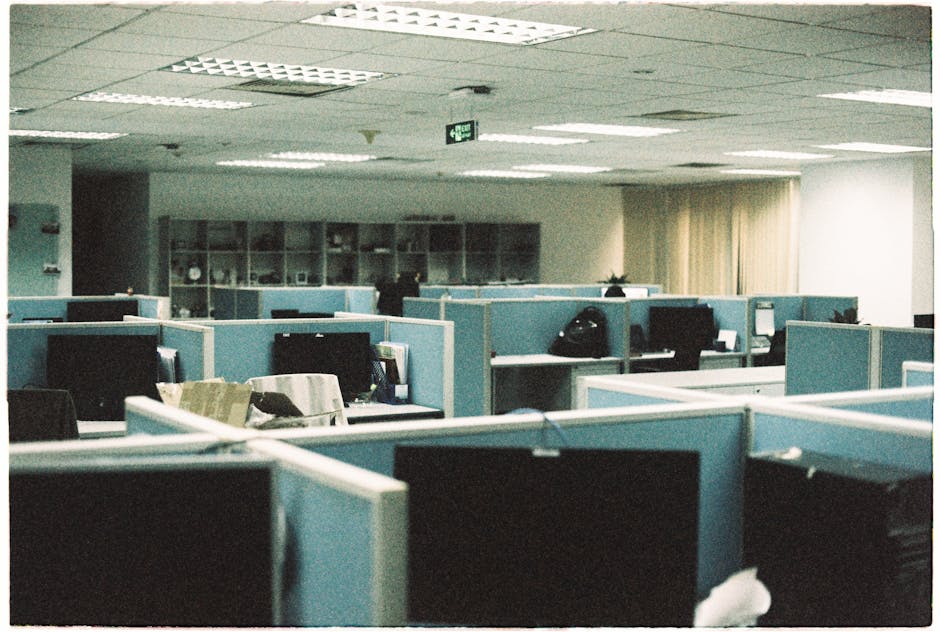
Securely Packing Tech and AV Equipment for Removals: A Practical Guide That Saves Stress, Money and Broken Kit
Moving a home office, studio, or full AV setup is one of those jobs that looks simple right up until you start unplugging things. Cables appear from nowhere. Screens suddenly seem twice as fragile. And if you've ever wrapped a laptop, monitor, projector, or speaker in a blanket and hoped for the best, well, lets face it, that's not really a system.
Securely packing tech and AV equipment for removals is about more than bubble wrap. It's a method: labelling properly, protecting sensitive parts, separating accessories, reducing vibration, and planning the move so the kit arrives in working order. Whether you're moving a few home devices or a whole office set-up, the right approach can save time at the other end and reduce that horrible moment when something powers on with a crackle instead of a beep.
This guide covers the full process in plain English, from what to pack first to the mistakes that catch people out. You'll also find a checklist, a comparison table, and practical advice on when it makes sense to use professional packing and unpacking services or arrange a dedicated move through man and van removals. If your move includes a larger setup, the guidance here will also help you plan around office relocation services without turning the day into chaos.
Table of Contents
- Why Securely packing tech and AV equipment for removals Matters
- How Securely packing tech and AV equipment for removals Works
- Key Benefits and Practical Advantages
- Who This Is For and When It Makes Sense
- Step-by-Step Guidance
- Expert Tips for Better Results
- Common Mistakes to Avoid
- Tools, Resources and Recommendations
- Law, Compliance, Standards, or Best Practice
- Options, Methods, or Comparison Table
- Case Study or Real-World Example
- Practical Checklist
- Conclusion
- Frequently Asked Questions
Why Securely packing tech and AV equipment for removals Matters
Tech and AV gear is rarely built like a book or a toaster. It often has sensitive screens, moving parts, ports, lenses, internal fans, and loose accessories that can shift during transit. Even small knocks can cause real problems. A cracked monitor corner, bent HDMI port, or speaker cone dent may not look dramatic at first, but it can affect performance or make a device unreliable later.
There's also the hidden cost of disorganisation. A home move with one desktop computer is one thing. A workspace with monitors, docking stations, routers, soundbars, mixers, and cables is another. If you don't label and bundle correctly, unpacking can become a detective story. Which cable belongs to the docking station? Which adapter powers the camera? Where did the remote go? Annoying stuff. Time-consuming too.
In an office setting, the stakes are even higher. Downtime has a knock-on effect. Staff cannot work properly, video calls fail, and someone ends up searching through five anonymous boxes for the right power brick. For that reason, many businesses pair careful packing with broader planning through commercial moves or a more tailored move plan for equipment-heavy spaces.
There's a trust element as well. If you're handing your kit to a removals team, you want to know they'll handle it sensibly and store it in a way that minimises risk. That's where a company's insurance and safety approach matters. Not because you expect problems, but because sensible planning is what keeps a small issue from becoming an expensive one.
Key point: good packing is not about wrapping everything in more material. It's about reducing movement, preventing pressure points, and making the unpacking process logical.
How Securely packing tech and AV equipment for removals Works
The basic idea is simple: each item should be isolated, cushioned, labelled, and packed in a way that suits its shape and fragility. In practice, though, the process depends on what you're moving. A TV needs different handling from a desktop tower. A projector is not the same as a pair of studio monitors. A turntable needs a different level of restraint than a Bluetooth speaker.
The process usually works in stages:
- Assess the equipment - list the items, note fragile components, and identify what must be disconnected first.
- Back up data - for computers, drives, and media systems, back up anything important before packing begins.
- Remove loose accessories - cables, dongles, remotes, memory cards, and stands should be separated and grouped.
- Protect each item individually - use anti-static or padded wrap where relevant, especially for screens and electronics.
- Box by function - keep related parts together, such as a monitor with its stand and leads.
- Label clearly - name the room, device, and any setup order needed at the other end.
- Load carefully - place heavier items low, avoid stacking pressure on screens, and keep delicate kit upright where required.
For many moves, especially larger domestic jobs, this is easiest when the packing plan is done alongside the move itself. That is one reason people combine device prep with home moves or book a dedicated vehicle through removal truck hire when the load contains bulky AV furniture or multiple workstations.
One detail that people miss: heat and pressure matter as much as impact. A device can survive a gentle move but fail later if it has been tightly packed next to something warm, crushed under weight, or left rattling in a half-empty box. Oddly enough, a box that feels "safe" because it's full can be worse than a box packed with proper internal cushioning. A bit counterintuitive, but true.
Key Benefits and Practical Advantages
Doing this properly brings more than peace of mind. It makes the entire move smoother, and not just for the person doing the packing.
- Lower breakage risk - screens, ports, delicate lenses, and moving parts are less likely to take damage.
- Faster setup at destination - labelled cables and grouped accessories save hours later.
- Less stress on moving day - you know what is in each box and where it should go.
- Reduced chance of missing parts - adapters, stands, and remote controls stay with the right device.
- Better protection of data and settings - especially useful for workstations, recording gear, and digital signage.
- Improved handling by movers - clear labels help the team load and place items more sensibly.
For businesses, there's a more subtle advantage too: continuity. If the right equipment is unpacked in the right order, the team can get back to work faster. That matters whether you're moving a design studio, consultancy office, or a small content production space. If the move is linked to a broader workplace change, it's worth checking the support available through office relocation services so the equipment strategy matches the business timeline.
There's also a sustainability angle, which people don't always think about. Reusing the right boxes, recycling old packing materials, and avoiding needless replacement of damaged gear all cut waste. If you're trying to keep the move efficient and responsible, a quick look at recycling and sustainability can help shape the packing stage with less waste in mind.
Who This Is For and When It Makes Sense
This guide is useful if you're moving any equipment that would be annoying, expensive, or impossible to replace quickly. That includes families with home offices, freelancers with editing setups, gamers moving high-end rigs, musicians with amps and mixers, and small businesses shifting AV equipment between premises.
It also makes sense when:
- you have more than one screen or device to move
- your setup uses lots of branded or proprietary cables
- the equipment includes lenses, drives, projectors, or audio interfaces
- you need the system up and running quickly after delivery
- the move includes stairs, narrow hallways, or awkward loading points
- you're trying to minimise the chance of hidden damage
In a typical London flat, for example, a single desk can still involve a surprising amount of kit: a laptop, monitor, monitor arm, speaker pair, charger, router, lamp, webcam, and a few tangled leads that seem to multiply overnight. The same applies in offices, just with more of everything. If that sounds familiar, a more hands-on service like man with van support can be a practical middle ground between doing it yourself and booking a full removal team.
If your move is mainly household-based, it may also be worth looking at house removalists for a broader packing and transport solution, especially where tech is one part of a larger move involving furniture, appliances, and storage.
Step-by-Step Guidance
Here's the practical part. Take your time with this. A rushed pack is usually where the problems begin.
1. Make a device inventory
Write down every item you're moving. Include serial numbers if useful, but at minimum note what each item is and which cables belong to it. A quick phone photo of the back of a monitor or AV rack before unplugging can be a lifesaver later. Honestly, it's one of the simplest tricks going.
2. Back up data and log out of accounts
Before anything gets boxed, back up computers and storage devices. Sign out of streaming apps, cloud services, or work systems where needed. For shared or business equipment, make sure login details are documented securely and not just stuck on a Post-it somewhere obvious.
3. Power down properly
Shut devices down the right way rather than yanking cables. Allow hot components to cool, especially gaming PCs, amplifiers, and projectors. A warm device sealed in a tight box is not ideal. Not dramatic, just sensible.
4. Remove detachable parts
Take off stands, wall mounts, memory cards, ink cartridges if relevant, external hard drives, and remotes. Pack these separately but keep them grouped with the device they belong to. Small zip bags work well, provided they're labelled.
5. Bundle cables by device
Use cable ties, Velcro straps, or soft reusable bands. Label both ends if there are several similar leads. If you have more than one HDMI or power cable, colour coding can help. You will thank yourself later, trust me.
6. Protect screens and delicate surfaces
Use screen protectors, foam sheets, or clean cardboard separators for monitors, TVs, and glass-fronted equipment. Avoid letting anything press directly against a display. For very large screens, use a proper TV box or custom packaging if available.
7. Cushion the box properly
The item should not rattle. Fill empty space with soft packing material so the device stays fixed, but do not overstuff the box so tightly that pressure builds on corners or ports. Think "supported", not "squashed."
8. Label from multiple angles
Put clear labels on the top and at least one side. Use wording like "Fragile Screen - This Side Up - Living Room TV" or "Office Monitor 2 - Stand in same box." Simple language helps more than clever shorthand.
9. Load with care
During transport, keep fragile electronics away from heavy furniture, loose tools, or anything that can slide. If you're using a dedicated vehicle, ask for a loading plan that separates heavier items from screens and speaker cabinets. A well-organised moving truck makes a big difference here.
10. Unpack in setup order
At the other end, reconnect in the reverse order of disassembly. Set up internet equipment first if you need connectivity, then computers, then AV devices. It saves a lot of backtracking. And yes, the one cable you need most will probably be the last one you find if you don't label it.
Expert Tips for Better Results
These are the small things that make a big difference, especially on a long day when everyone is tired and the kettle is buried somewhere in box seventeen.
- Use original boxes where possible. Manufacturers often design packaging to fit the device shape and protect vulnerable points.
- Photograph every setup before disconnecting. It helps with cabling, mounting, and reference later.
- Keep screws and brackets in named bags. Tape each bag to the corresponding stand or mount if safe to do so.
- Separate batteries where appropriate. Loose batteries can shift, short, or get lost among other items.
- Wrap polished or glossy finishes carefully. They scratch more easily than people expect.
- Avoid newspaper on screens. The ink can transfer. Better to use clean, non-abrasive packing material.
- Use one box per priority item. Don't overload a box just to save space if the items are delicate.
A practical little habit: keep a "first night" tech box. Put the router, laptop charger, basic cables, a spare extension lead, and any key adapters in one clearly marked box that travels with you rather than buried in the van. The relief at the destination is real. Small thing, big win.
If you're coordinating a bigger household move with limited time, it can also help to ask whether a team can support the packing stage directly through packing and unpacking services. For some moves, that's the difference between a calm evening and a very late one.
Common Mistakes to Avoid
Most packing damage happens because people are trying to be quick, not careless. The trouble is, speed and electronics do not always get along.
- Packing everything in the same box. A power brick, headphones, and a monitor do not belong in the same random pile.
- Leaving cables loose. Loose cables tangle, snag, and make it harder to identify what belongs where.
- Ignoring screen pressure. Even a light object leaning on a TV can be risky over a bumpy journey.
- Forgetting small but essential accessories. Remote controls, adapters, and dongles often go missing first.
- Using oversized boxes. Big boxes invite movement. Movement creates damage. Simple, really.
- Not checking insurance and handling terms. If a mover is handling valuables, understand what is covered and what packaging standards are expected. Their terms and conditions should make this clear.
- Skipping labels because you think you'll remember. You probably won't, at least not when three boxes look identical.
Another common issue is trying to transport everything as a single "tech pile." That sounds efficient until you arrive and realise you can't tell the studio speakers from the office speakers, and one box contains five different chargers that all look identical in the dark. Not ideal.
Tools, Resources and Recommendations
You do not need a specialist warehouse to pack AV gear properly. But a few well-chosen tools help a lot.
| Item | What it's for | Why it helps |
|---|---|---|
| Strong double-walled boxes | Monitors, consoles, laptops, accessories | Better protection against crushing and flexing |
| Anti-static bags | Circuit boards, drives, internal components | Reduces static risk for sensitive electronics |
| Bubble wrap or foam sheets | Screens, devices, lenses | Cushions impact and fills gaps |
| Velcro cable ties | Cables and leads | Keeps bundles neat and reusable |
| Labels and marker pens | Boxes, cables, accessories | Makes unpacking much easier |
| Zip bags | Screws, adapters, small parts | Stops tiny items disappearing |
| Blankets or padded covers | Large AV items and speaker cabinets | Useful for transport protection when used correctly |
For heavier or bulkier equipment, using a suitable vehicle matters too. If the load includes multiple screens, stands, or racks, the vehicle needs space and stable loading points. That's where removal truck hire can be a better fit than squeezing everything into a small van and hoping for the best.
It's also worth checking the company's wider approach to safety and handling. A good service should be transparent about health and safety policy and what they expect from the packing stage. That kind of clarity is usually a good sign.
Law, Compliance, Standards, or Best Practice
For everyday home moves, there usually isn't a special legal process just for tech packing. Still, there are sensible expectations around care, safe handling, and clear communication. For commercial moves, the standards are higher in practice because the risk of interruption, data loss, or equipment damage can affect work directly.
Best practice tends to include the following:
- using suitable packaging for the item's fragility and shape
- keeping cords, mounts, and accessories together with the device where practical
- avoiding overloaded boxes and excessive stacking
- making sure movers understand which items are fragile or high value
- checking the mover's handling, claims, and safety information before the day
If you're storing customer data, workplace records, or private material on devices, it is also wise to think about confidentiality and access. Packing should reduce the chance of items being opened, mixed, or misplaced. That's less about dramatic legal language and more about ordinary care, but it matters.
It can also be useful to review practical company information such as payment and security and privacy policy if you're booking a service online or arranging a business move with sensitive information involved. Nothing glamorous there, but it builds confidence.
Options, Methods, or Comparison Table
Different packing methods suit different types of tech. Here's a quick comparison to help you choose sensibly.
| Method | Best for | Pros | Limitations |
|---|---|---|---|
| Original manufacturer box | TVs, monitors, projectors, small electronics | Excellent fit, familiar protection | Often unavailable after years of use |
| Standard moving box with cushioning | Cables, accessories, smaller devices | Flexible, easy to label | Needs careful packing to avoid movement |
| Custom padded wrap and crate-style protection | High-value AV gear, studio equipment | Strong protection for awkward or expensive items | More preparation and cost |
| Professional packing service | Busy households, offices, delicate setups | Saves time, reduces errors, can improve consistency | Costs more than DIY |
For many people, the decision comes down to time versus complexity. A single laptop and monitor can be DIY-packed with care. A studio rack, three displays, and several audio units? That's edging into the "let someone experienced help" territory. If you're not sure, compare the move against the rest of the schedule and consider getting a tailored quote through pricing and quotes.
Case Study or Real-World Example
Here's a realistic example from a small business move. A two-person design studio needed to relocate from a shared office to a new space across town. Their kit included two desktop PCs, four monitors, two drawing tablets, a small projector, speakers, docking stations, and a tangle of charger leads that looked like a very determined nest.
They spent an evening photographing every setup before unplugging. Each monitor stand went into its own bag with screws taped to the stand. Cables were bundled by workstation and labelled "Desk A" and "Desk B." The projector, which was used for client presentations, was wrapped separately and packed with its power lead, remote, and case. One small box was set aside for urgent items: router, key adapters, and a spare HDMI cable.
The move itself was straightforward because the packing had already reduced the risk. At the new office, everything came out in a logical order, and the team was back online the same afternoon. There was a funny moment when someone opened the wrong box looking for the webcam and found three spare kettle leads instead. Human nature, really. But the main setup was intact, and nobody had to scramble for missing parts.
The lesson is simple: good preparation turns the moving day into a transport task, not a rescue mission.
Practical Checklist
Use this before the van arrives. Keep it nearby, even if your phone battery is at that awkward 12% stage.
- Back up all important data
- Photograph device setups and cable layouts
- Power down and cool equipment properly
- Remove discs, cards, batteries, and loose parts
- Bundle and label cables by device
- Pack screens with face and edges protected
- Use the right box size for each item
- Fill gaps so nothing shifts inside the box
- Label boxes with room, item, and fragility notes
- Keep high-priority chargers and adapters in a separate essentials box
- Load fragile items so they are not crushed or stacked under weight
- Check that insurance and handling terms are understood
- Unpack and test devices in a sensible order
Expert summary: The safest moves are usually the most boring ones on paper. Inventory, photograph, label, cushion, and keep the setup logical. That's the whole game. The gear doesn't care how quickly you packed it; it only cares whether it arrived protected.
Conclusion
Securely packing tech and AV equipment for removals is really about reducing uncertainty. If each device is protected, each cable is labelled, and each box has a clear purpose, the whole move becomes calmer and far more predictable. That matters whether you're shifting a home office across London or relocating a business with a lot of specialist kit.
The main thing to remember is this: don't pack tech like ordinary household clutter. Treat it as the sensitive, setup-dependent equipment it is. Keep related items together, protect screens and ports, and give yourself an easy path to unpacking later. A few extra minutes at the start can save a very long evening at the end.
If you're planning a move and want a smoother result, it's worth choosing support that understands handling, protection, and timing rather than just lifting boxes. And if you need a little extra peace of mind, check the service details, speak to the team, and plan the journey properly. That's usually how the best moves begin.
Get a free quote today and see how much you can save.
Frequently Asked Questions
What is the best way to pack a monitor for removals?
Use the original box if you still have it. If not, wrap the screen carefully with a non-abrasive material, protect the corners, and place it in a snug box with no room for movement. Never let anything press directly against the display.
Should I leave cables plugged into devices during a move?
No, it's usually better to disconnect and bundle them separately. Label each cable so you know which device it belongs to. That makes unpacking far easier and reduces the chance of snagging or bending a port.
Can I move a TV without the original packaging?
Yes, but it needs extra care. Use a proper TV box or a well-padded protective wrap, keep the screen upright if possible, and avoid stacking anything heavy against it. Large TVs are far safer when handled with a plan, not improv.
How do I pack a gaming PC or desktop tower safely?
Back up data first, remove any loose or fragile internal parts if appropriate, secure the power cable and accessories separately, and cushion the tower so it cannot shift. If the case has a glass panel, that needs especially careful protection.
What should go in a tech essentials box?
Put in the router, chargers, spare cables, adapters, power strips, and any items you'll need on the first day. Keep this box with you or make it easy to access so you can get basic systems running quickly.
Is bubble wrap enough for AV equipment?
Sometimes, but not on its own. Bubble wrap is useful for cushioning, yet it works best alongside a sturdy box, internal padding, and clear labelling. For fragile or expensive equipment, more controlled packaging is usually safer.
How do I avoid losing small accessories like remotes and screws?
Use labelled zip bags and keep the parts with the device they belong to. If possible, tape the bag to the stand, bracket, or accessory box. Small parts disappear easily, especially when several people are helping.
Should I hire professionals for office tech packing?
If the setup includes multiple workstations, AV systems, or devices that need to be operational quickly after the move, professional help is often worth considering. It can reduce downtime and take pressure off staff during a busy relocation.
What kind of box is best for fragile electronics?
A strong, double-walled box is a good starting point. The box should be close to the item's size so the contents do not move around. Oversized boxes are a common cause of damage because the item shifts during transit.
Do movers handle technology differently from furniture?
Usually, yes. Tech and AV equipment needs clearer labelling, softer handling, and better separation from heavy items. Good movers should understand that a monitor or projector is not just another box to stack anywhere.
How far in advance should I start packing tech before moving day?
For a small setup, a few days is often enough. For a full office or home studio, start earlier so you have time to back up data, organise cables, and test everything before the move. Rushing rarely helps with electronics.
What if my equipment is expensive or custom-built?
If the kit is high value, bespoke, or business-critical, take a more cautious approach. Use tailored packaging where possible, document the setup, and consider a specialist service. A careful plan now is usually cheaper than replacing damaged kit later.